How it works
From a client's first question to the report and the invoice. Four steps, in one app.

01
A question becomes a task
Email, phone or the form on your website: every question arrives as a task, with the client and the pest attached.
- Email from your connected mailbox becomes a task by itself, with the pest recognised.
- Type in a phone call, or record it and the form fills itself.
- A task with a day and a time window books itself with a free technician.
- The task shows Booked until the last visit is done.
02
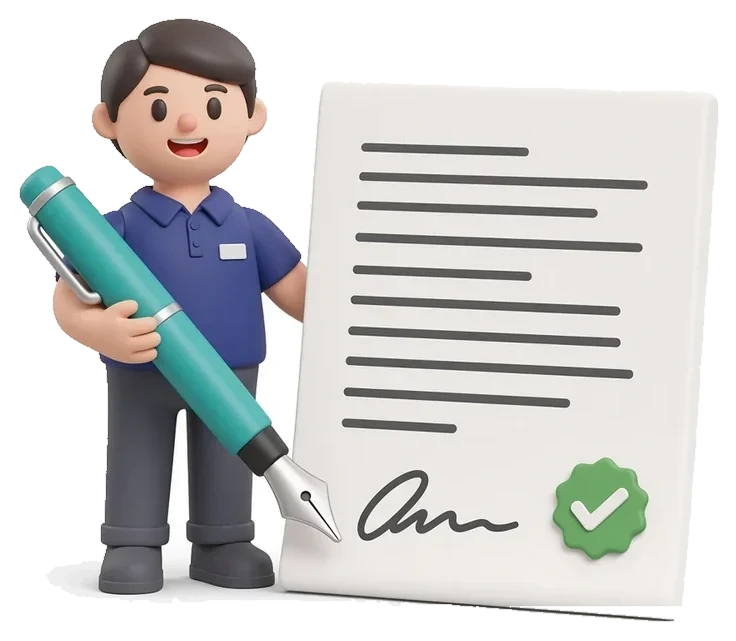
Offer, signed online
You write the advice per location. The client picks an option and signs online.
- For each pest you set the options, for example 4 or 6 visits a year, each with a yearly price.
- For a one-off job you create a treatment with a fixed price and a guarantee.
- The client opens the link, chooses and signs on their own screen, without an account.
- Once signed, the visit plan, the task and the draft invoice are ready.

03
The visit on the tablet
The technician walks the checkpoints and records everything, even in a basement without signal.
- The checkpoints sit on the floor plan, in walking order.
- For each point you record the status, the bait take, the species and a photo.
- Measures without products come first, then a product, with its registration number and batch.
- At the end the client signs on the tablet.
04
Report and invoice
The report reaches the client the same day. The invoice follows from the same visit.
- The report builds itself from what the technician recorded.
- The report is in the client's language: Dutch or English.
- You decide at the door whether the visit is invoiced.
- A reminder for an open invoice goes out by itself.
The report
The report your client receives.
After every visit, a clear inspection report built from what the technician recorded. Ready for your client's file and for the audit.
- A short letter and a summary of the visit
- The floor plan, with active stations in red
- Per pest: what was found and what it means
- Measures without products, such as proofing and cleaning
- Products used, with registration number, active substance, batch and removal date
- The trend per station over the last visits
- Risks, recommendations and what the client can do
- The technician's licence, your insurance and the client's signature
A sample from the app. The company, the client and the people are made up.
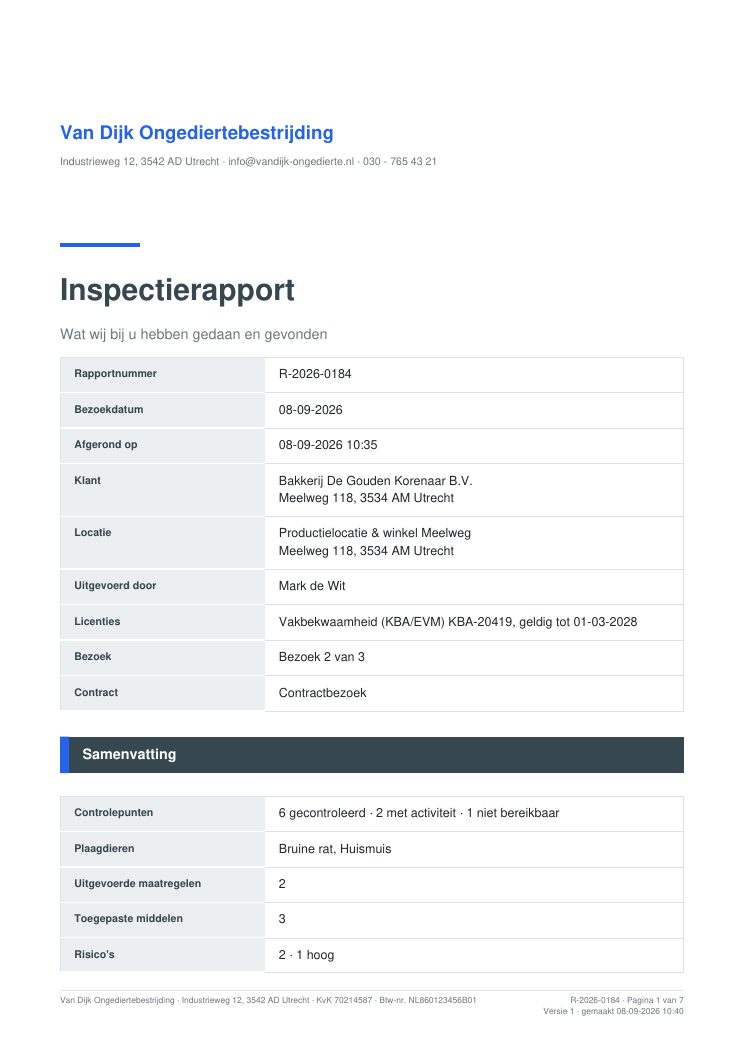
Cover with licence 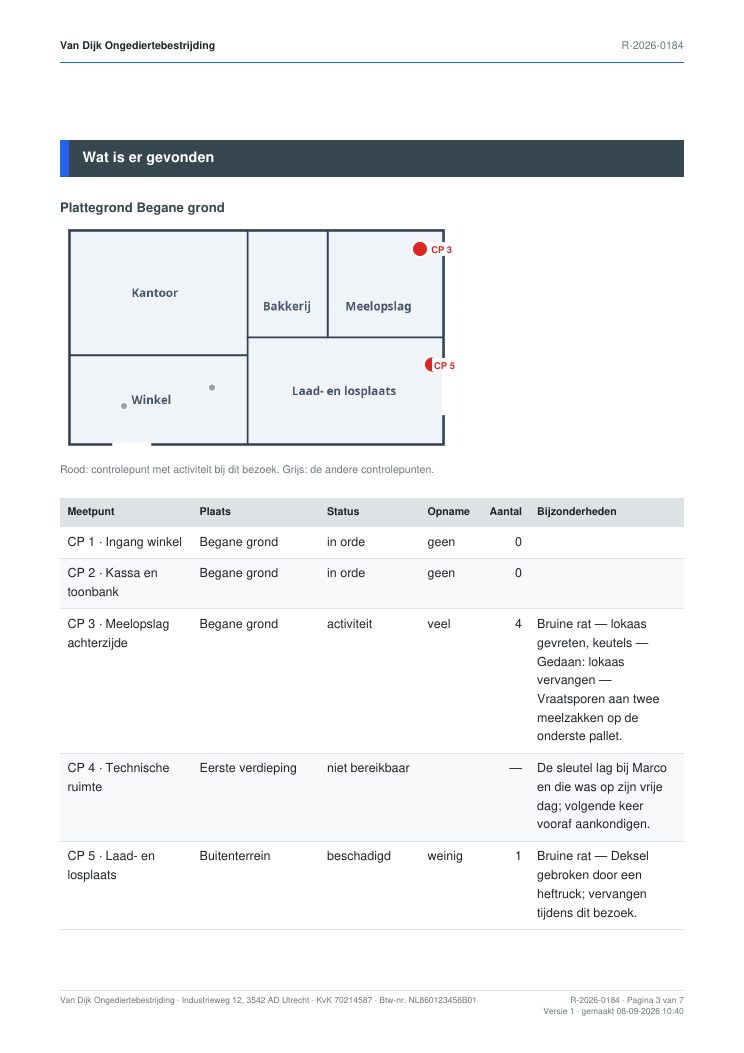
Floor plan and checkpoints 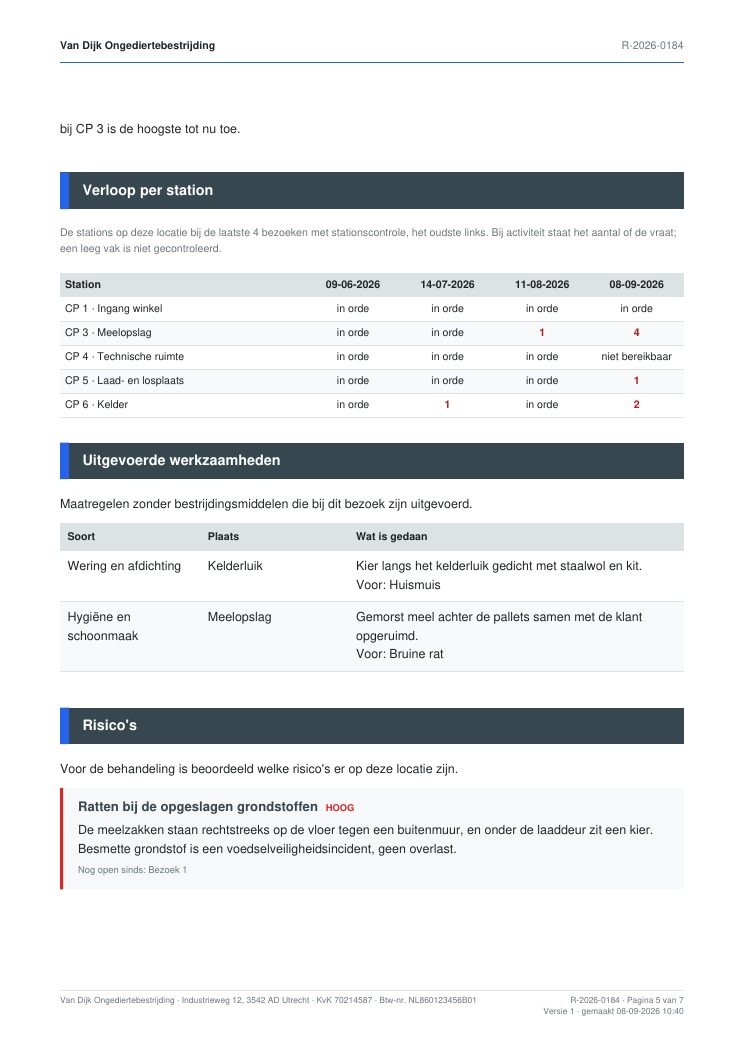
Station trend and measures 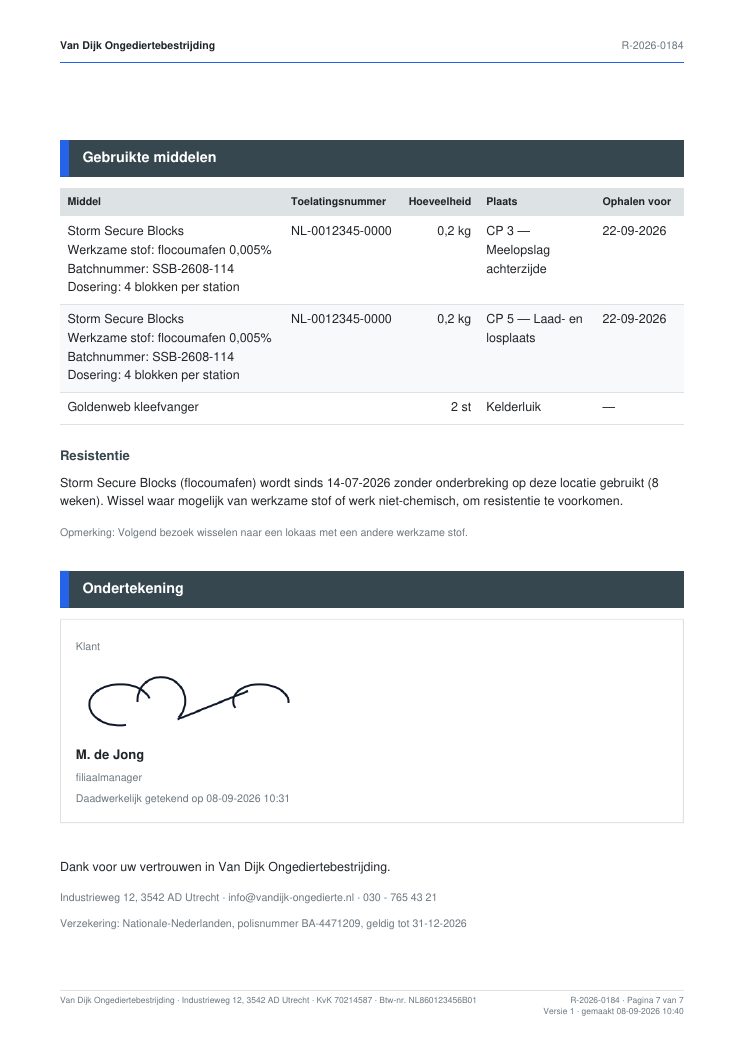
Products, resistance and signature
Want to see it in your company?
Try the app free for a month with your own clients. Or watch the short videos first.